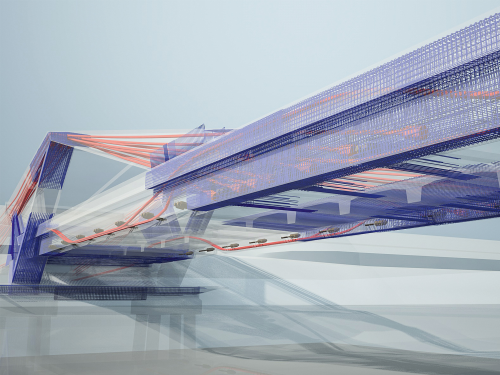
Bridge Solution
Bridge Solution
Course description
Course Chapter:
- Geometrical bridge model
- Internal prestressing tendons
- Analytical bridge model
- Detailing and reinforcement modeling
Learning outcomes
- The aim is to create a box girder bridge with three spans.
ALLPLAN Fundamentals: Terrain
ALLPLAN Fundamentals: Terrain
Course description
This course provides a hands-on introduction to terrain modeling in ALLPLAN for learners without prior experience in digital terrain models (DTM). You will explore the core concepts and terminology, become familiar with the relevant tools in the ALLPLAN user interface, and work with survey data to build terrain models. In addition, you will learn how to modify terrain surfaces, analyze elevation data, and visualize terrain structures in both 2D and 3D.
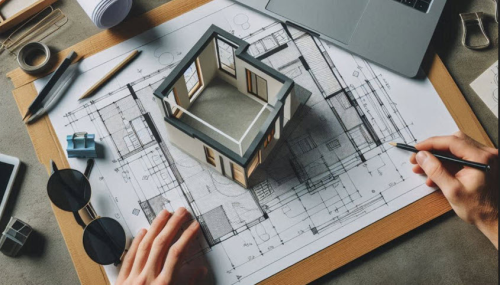
ALLPLAN start now - Architecture
ALLPLAN start now - Architecture
Course description
Course modules:
It's that simple!
Create the 3D building model
Modification made easy...
Evaluation
Completion of the 3D building model
Compile and Output Plan
Project Backup
Learning outcomes
- Create floor plans
- Develop a complete building
- Building components
- Opening elements
- Stairs
Reinforcement for Beginners
Reinforcement for Beginners
Course description
This course focuses on basic techniques to modeling, documenting, and managing reinforcement bars in ALLPLAN.
Learning outcomes
- Place reinforcement using advanced placement tools.

Allplan start now - BRIDGE
Allplan start now - BRIDGE
Course description
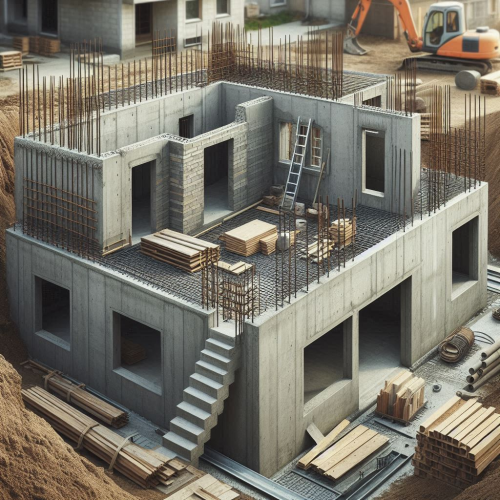
The training is designed to guide you through the modeling process for an parametrical 3D Prestressed concrete bridge model using Allplan Bridge and using Allplan Engineering for further detailing of the bridge. The used example is a hollow box concrete girder bridge with three spans. The length of the bridge is 80 meters, and the span lengths are 25, 30 and 25 meters. The bridge has two piers with variable dimensions along the height of 10 meters. The bridge axis is curved in plan and in elevation.
Learning outcomes
- General
- Axis
- Cross-Section
- Structural Members
- Variables and Variations
ALLPLAN start now - Engineering
ALLPLAN start now - Engineering
Course description
Course modules:
It's that simple!
Creating the 3D building model
Modification made easy ...
Completion of the 3D building model
Evaluation
Compile and output the plan
Reinforcement
Project backup
Learning outcomes
- Create floor plans
- Components
- Opening elements
- Stairs
- Slab

LinkedIn Training for Sales
LinkedIn Training for Sales
Course description
This course bundle provides practical insights into key aspects of modern sales, business development, and digital project management through Building Information Modeling (BIM). Participants will learn how to strengthen sales performance through authentic relationships, targeted customer analysis, and persuasive communication. Additionally, the BIM course introduces the core principles of digital modeling, helping participants plan, design, and manage construction projects more efficiently and collaboratively.
Learning outcomes
- Understand and leverage the importance of authentic relationships in the sales process.
- Apply effective business development strategies to identify market opportunities and build
- Use CRM systems to organize customer information and streamline sales processes.
- Employ professional communication techniques—such as cold emailing and impactful presentat
- Understand the principles and applications of Building Information Modeling (BIM) and appl
ALLPLAN start now - ROAD
ALLPLAN start now - ROAD
Course description
Learning outcomes
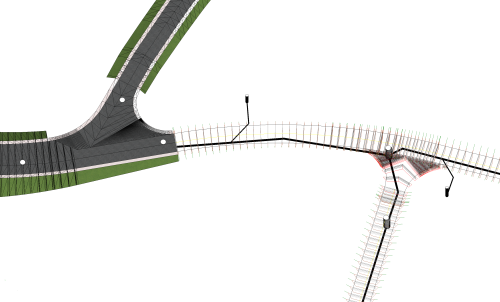
- Create and import of DTMs
- Make use of break lines to adjust triangulation
- Visualization of DTMs
- Area and point reduction of DTM

Allplan Campus Essentials EN
Allplan Campus Essentials EN
Course description
This course offers a comprehensive introduction to the Allplan BIM software. You will learn all the basic functions, from navigation and working with levels, building structures and layers to advanced tools and the professional presentation of projects. Perfect for users who want to deepen their knowledge of Allplan.
Learning outcomes
- Navigation basics: the Allplan user interface
- Working with layers and building structure: Organisation and structure of the project
- Creation and collision-free construction of building elements
- User defined structures: free modeling
- 3D-visualisation, export of sections and plan layouts
Tutorial Concrete
Tutorial Concrete
Course description
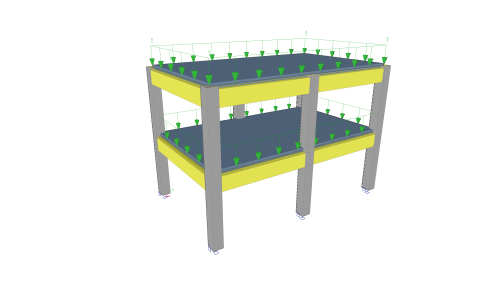
This tutorial describes the basic functions of SCIA Engineer for the input, analysis and design of a 3D concrete structure with 1D and 2D elements.
Before you start, you must be familiar with your operating system: for instance working with dialogues, menu bars, toolbars, status bars, handling the mouse, etc.
First, we will explain how to create a new project and how to setup your structure.
After the geometry and load input, the structure will be calculated and the results can be viewed.
Next, we will discuss the concrete settings and we will perform the concrete design for 1D and 2D elements.
The tutorial ends with a brief introduction to the engineering report.
Learning outcomes
- The user will be able to model and analyse a concrete structure.
LES FONDAMENTAUX DU BIM
LES FONDAMENTAUX DU BIM
Course description
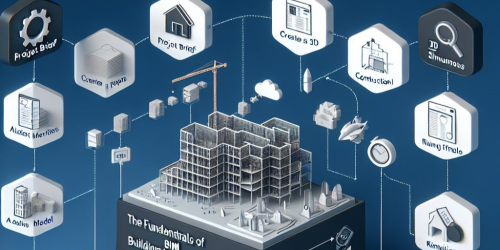
Aujourd'hui, nous allons nous plonger dans le monde fascinant de la modélisation des données du bâtiment, ou BIM, en mettant l'accent sur la façon dont elle s'intègre au logiciel Allplan.
Que vous soyez un professionnel chevronné du secteur de la construction ou que vous débutiez, la compréhension des principes fondamentaux de la méthodologie BIM avec Allplan améliorera vos capacités de gestion de projet et de conception.
Learning outcomes
- Qu'est-ce que le BIM
- Le BIM dans ALLPLAN
- Echanger
- Collaborer
- Contrôler

ALLPLAN START NOW | VISUAL SCRIPTING
ALLPLAN START NOW | VISUAL SCRIPTING
Course description
Ce cours vous accompagne dans la découverte de Visual Scripting, la solution de programmation visuelle pour ALLPLAN. Les sessions expliquent de manière progressive comment concevoir des objets personnalisés, automatiser des tâches et optimiser vos processus de modélisation, même sans connaissances en programmation. Que vous soyez débutant ou bien utilisateur avancé, vous serez guidé vers une maîtrise concrète de l’automatisation dans l’environnement ALLPLAN.
Learning outcomes
- Créer et modifier des objets paramétriques
- Automatiser des tâches récurrentes dans ALLPLAN
- Gérer et utiliser les attributs
- Optimiser les imports et exports de fichiers
- Déployer vos propres solutions pour répondre aux besoins spécifiques de vos projets