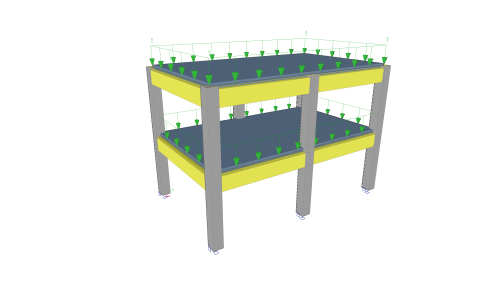
Tutorial Concrete
Tutorial Concrete
Course description
This tutorial describes the basic functions of SCIA Engineer for the input, analysis and design of a 3D concrete structure with 1D and 2D elements.
Before you start, you must be familiar with your operating system: for instance working with dialogues, menu bars, toolbars, status bars, handling the mouse, etc.
First, we will explain how to create a new project and how to setup your structure.
After the geometry and load input, the structure will be calculated and the results can be viewed.
Next, we will discuss the concrete settings and we will perform the concrete design for 1D and 2D elements.
The tutorial ends with a brief introduction to the engineering report.
Learning outcomes
- The user will be able to model and analyse a concrete structure.
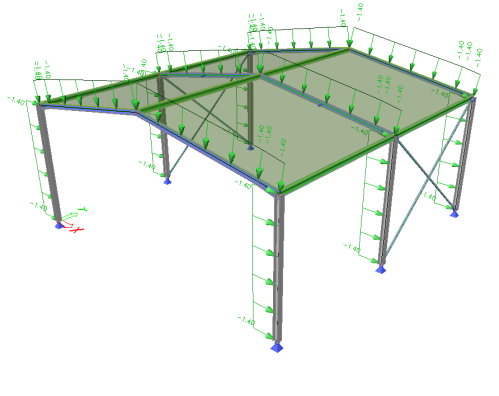
Tutorial Steel
Tutorial Steel
Course description
This tutorial describes the basic functions of SCIA Engineer for the input, analysis and design of a 3D steel structure.
Before you start, you must be familiar with your operating system: for instance working with dialogues, menu bars, toolbars, status bars, handling the mouse, etc.
First, we will explain how to create a new project and how to setup your structure.
After the geometry and load input, the structure will be calculated and the results can be viewed.
Next, we will discuss the steel settings and we will perform the steel code checks according Eurocode 3.
The tutorial ends with a brief introduction to the engineering report.
Learning outcomes
- Navigate the interface.
- Model a basic steel structure and add loads.
- Perform a linear analysis and display results.
- Perform the ULS steel check.
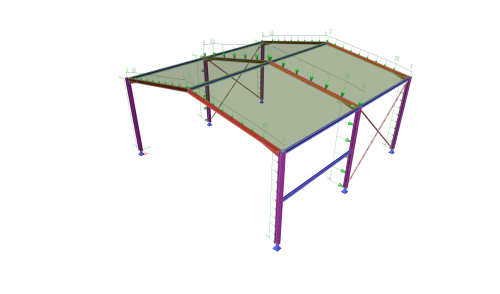
Tutorial Steel AISC
Tutorial Steel AISC
Course description
This tutorial describes the basic functions of SCIA Engineer for the input, analysis and design of a 3D steel hall structure.
Before you start, you must be familiar with your operating system: for instance working with dialogues, menu bars, toolbars, status bars, handling the mouse, etc.
First, we will explain how to create a new project and how to setup your structure.
After the geometry and load input, the structure will be calculated and the results can be viewed.
Next, we will discuss the steel code check according AISC 360-22 and we will create a simple steel connection.
The tutorial ends with a brief introduction to the engineering report.
Learning outcomes
- The user will be able to model and analyse a steel structure.
- The user will be able to perform the steel code check according AISC 360-22.
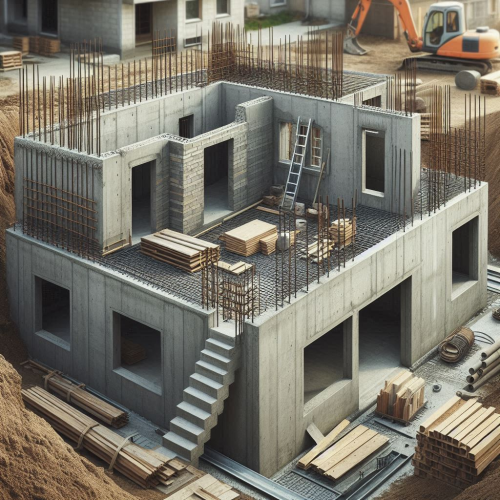
ALLPLAN start now - Engineering
ALLPLAN start now - Engineering
Course description
Course modules:
It's that simple!
Creating the 3D building model
Modification made easy ...
Completion of the 3D building model
Evaluation
Compile and output the plan
Reinforcement
Project backup
Learning outcomes
- Create floor plans
- Components
- Opening elements
- Stairs
- Slab
ALLPLAN start now - Architecture
ALLPLAN start now - Architecture
Course description
Course modules:
It's that simple!
Create the 3D building model
Modification made easy...
Evaluation
Completion of the 3D building model
Compile and Output Plan
Project Backup
Learning outcomes
- Create floor plans
- Develop a complete building
- Building components
- Opening elements
- Stairs

Allplan start now - BIMPLUS
Allplan start now - BIMPLUS
Course description
Each lesson takes you step by step through the functionality of Bimplus.
The content of the course is logically structured and includes many practical examples. The presentations go into great detail on the individual functionalities of the Bimplus modules, with the management of projects, members and data being an essential part of this course.
The course is designed for both beginners and advanced users.
Learning outcomes
- Create teams
- Manage projects
- Members and data
- View and analyse models
- Create
SDS2 Fundamentals
SDS2 Fundamentals
Course description
This is a Fundamentals (Level 1) Course for SDS2. It is intended for learners without prior experience in SDS2. Even if you have some experience with SDS2, this may be a good course to refresh on basic topics. While it is suitable for learners without prior SDS2 experience, some experience in steel detailing is strongly recommended.
Learning outcomes
- Describe the basic process for completing jobs in SDS2.
- Navigate the SDS2 Home Screen, Modeling, and Drawing Editor user interfaces.
- Model basic Members, such as Beams, Columns, Vertical Braces, and Horizontal Braces.
- Create, annotate, and print Sheets.
Allplan start now - Ingeniería
Allplan start now - Ingeniería
Course description
Sumérgete en el dinámico curso de ingeniería de Allplan. Aprende habilidades clave, desde la creación de modelos 3D hasta la modificación de cualquier elemento. Descubre la creación de secciones, vistas y armados 3D automáticos, todo ello garantizando la conformidad con BIM. Mejora los diseños con actualizaciones en tiempo real a través de documentos vinculados como listas de armado y doblado.
Módulos del curso:
- Así de sencillo
- Creación del modelo de construcción en 3D
- Modificación sencilla.
- Finalización del modelo 3D del edificio
Learning outcomes
- Crear niveles
- Elementos estructurales
- Vanos
- Escaleras
- Losas

Allplan start now - Arquitectura
Allplan start now - Arquitectura
Course description
Sumérgete en las soluciones Allplan con nuestro curso básico para arquitectos. Obtén los conocimientos necesarios para navegar sin problemas por Allplan desde el principio y desbloquear todo tu potencial. Trabaja directamente con modelos 3D dinámicos para mejorar la eficiencia de tu proceso de diseño. Este flujo de trabajo integral se centra en el desarrollo de habilidades de diseño basadas en objetos a través de Building Information Modelling (BIM). ¿Cuál es el resultado? Un edificio totalmente realizado con vistas, secciones, mediciones y planos en planta.
Learning outcomes
- Creación de niveles de planta
- Desarrollo de un edificio completo
- Componentes del edificio
- Elementos de vano
- Escaleras
ALLPLAN Fundamentals
ALLPLAN Fundamentals
Course description
This introductory Self-Paced Training Course covers the fundamentals of ALLPLAN. It is suitable for leaners without prior experience in ALLPLAN.
Learning outcomes
- Recall basic Project-related administrative settings.
- Describe how Drawing Files are used to organize content in a Project.
- Identify best use cases for Library Elements and Wizards.
- State how model information can be organized and presented using Legends or Reports.