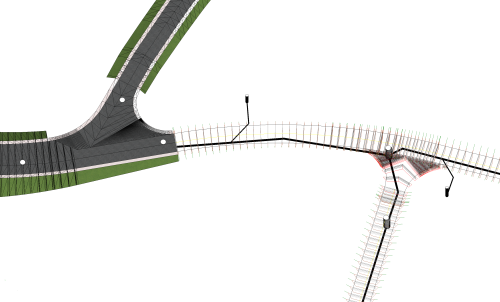
ALLPLAN start now - ROAD
ALLPLAN start now - ROAD
Course description
Learning outcomes
- Create and import of DTMs
- Make use of break lines to adjust triangulation
- Visualization of DTMs
- Area and point reduction of DTM

Allplan start now - BRIDGE
Allplan start now - BRIDGE
Course description
The training is designed to guide you through the modeling process for an parametrical 3D Prestressed concrete bridge model using Allplan Bridge and using Allplan Engineering for further detailing of the bridge. The used example is a hollow box concrete girder bridge with three spans. The length of the bridge is 80 meters, and the span lengths are 25, 30 and 25 meters. The bridge has two piers with variable dimensions along the height of 10 meters. The bridge axis is curved in plan and in elevation.
Learning outcomes
- General
- Axis
- Cross-Section
- Structural Members
- Variables and Variations

ALLPLAN Booster | Reports
ALLPLAN Booster | Reports
Course description
In diesem Kurs lernen Sie, wie Sie Reports aufrufen, mit dem Report Viewer anzeigen und ausgeben. Zusätzlich erfahren Sie, wie Reports in der Bauwerksstruktur eingebettet werden, und wie Sie das Layout mit dem Layout Designer modifizieren. Abschließend zeigen wir die individuelle Anpassung von Reports mit dem Report Designer.
Learning outcomes
- Standard-Reports aufrufen und individuelle Büroinformationen hinterlegen.
- Reports in den Ableitungen der Bauwerksstruktur definieren und aufrufen.
- Layout eines Reports mit Layout Designer modifizieren und als eigene Vorlage speichern.
- Reports kopieren und den Report Designer innerhalb und außerhalb von Allplan starten.
- Reports mit dem Report Designer anpassen, abspeichern und im Report Viewer kontrollieren.
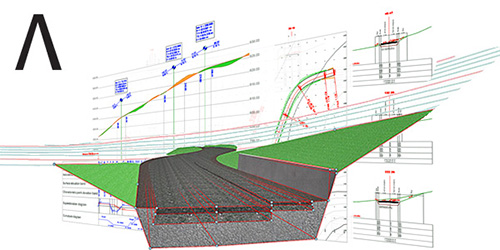
I vantaggi del BIM nella progettazione stradale
I vantaggi del BIM nella progettazione stradale
Course description
Il
webinar offre una panoramica sulle innovazioni e sulle potenzialità
offerte dal modulo Road Design di Allplan. Nel corso del seminario
tecnico viene mostrato il tipico flusso di lavoro relativo alla
progettazione BIM delle strade con i nuovi strumenti integrati
all’interno del software Allplan.
Learning outcomes
- Allplan Road

Allplan Campus Crash Course EN
Allplan Campus Crash Course EN
Course description
This Allplan crash course for beginners offers a comprehensive introduction to the basics of the CAD and BIM software Allplan. In five structured video tutorials, you will learn how to create 2D and 3D designs, efficiently manage building structures, and design and export professional plan layouts for your architectural projects. Perfect for beginners who want to quickly and practically expand their skills in architecture and construction planning.
Learning outcomes
- Basic 2D design and project management in Allplan
- Expertise in free 3D modeling and the application of Boolean operations
- Effective usage for level models and materials for structured building designs
- Construction of walls, ceilings, and columns without collisions
- Accurate presentation and export of sections and plan layouts
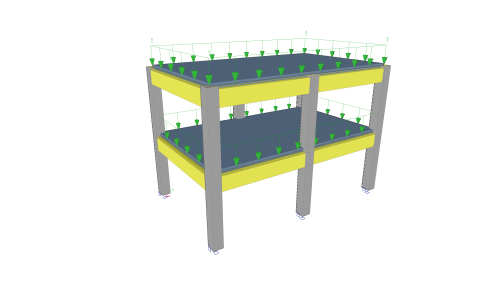
Tutorial Concrete
Tutorial Concrete
Course description
This tutorial describes the basic functions of SCIA Engineer for the input, analysis and design of a 3D concrete structure with 1D and 2D elements.
Before you start, you must be familiar with your operating system: for instance working with dialogues, menu bars, toolbars, status bars, handling the mouse, etc.
First, we will explain how to create a new project and how to setup your structure.
After the geometry and load input, the structure will be calculated and the results can be viewed.
Next, we will discuss the concrete settings and we will perform the concrete design for 1D and 2D elements.
The tutorial ends with a brief introduction to the engineering report.
Learning outcomes
- The user will be able to model and analyse a concrete structure.
ALLPLAN Fundamentals: 2D Infrastructure
ALLPLAN Fundamentals: 2D Infrastructure
Course description
During this training, you will learn how to understand and customize the user interface, as well as use options and settings effectively. You will create and manage project and drawing structures (building structure) and gain practical experience in importing and exporting data in formats such as DWG, DXF, and PDF. The course also covers the creation and modification of 2D designs, including dimensioning and annotation. In addition, you will work with 2D axes and learn how to prepare and output layouts.
Learning outcomes
- Understand and customize the ALLPLAN user interface and settings
- Create and manage project and drawing structures efficiently
- Develop and modify 2D designs, including dimensioning and annotation
- Import and export data using common formats such as DWG, IFC, and PDF
ALLPLAN start now - Engineering
ALLPLAN start now - Engineering
Course description
Course modules:
It's that simple!
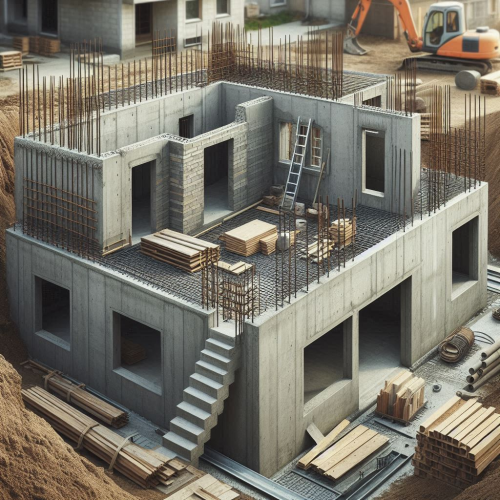
Creating the 3D building model
Modification made easy ...
Completion of the 3D building model
Evaluation
Compile and output the plan
Reinforcement
Project backup
Learning outcomes
- Create floor plans
- Components
- Opening elements
- Stairs
- Slab
Webinar Footfall analysis
Webinar Footfall analysis
Course description
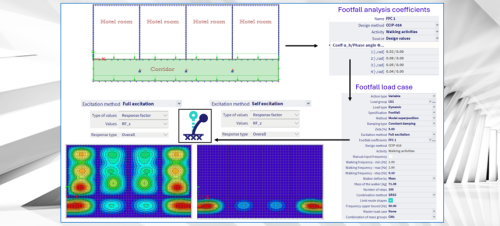
This webinar illustrates the Footfall Analysis functionality in SCIA Engineer.
Many engineers face significant challenges when designing buildings with large open spaces, lightweight floors, or areas housing sensitive equipment. Vibrations caused by everyday human activities—like walking, running, or crowd movement—can lead to occupant discomfort, dissatisfied clients, or even operational problems for sensitive equipment.
Footfall analysis allows engineers to evaluate how the structure responds to these human-induced vibrations. With the insights gained from this analysis, engineers can adjust the structural design early in the project to keep vibrations within acceptable limits, ensuring occupants’ comfort and protecting sensitive equipment. This proactive approach helps avoid costly modifications after construction that might otherwise be required to address unsatisfactory structural performance.
Learning outcomes
- Learn about the principles on footfall analysis and how to apply it in SCIA Engineer

ALLPLAN start now - Architecture
ALLPLAN start now - Architecture
Course description
Course modules:
It's that simple!
Create the 3D building model
Modification made easy...
Evaluation
Completion of the 3D building model
Compile and Output Plan
Project Backup
Learning outcomes
- Create floor plans
- Develop a complete building
- Building components
- Opening elements
- Stairs
Webinar Moving loads
Webinar Moving loads
Course description
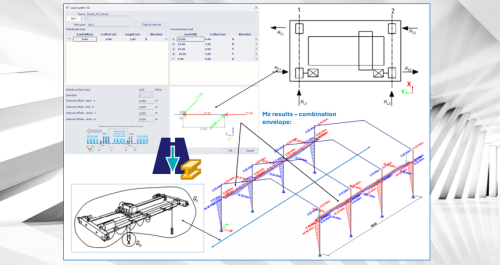
This webinar illustrates the Moving Loads functionality in SCIA Engineer.
When structures must withstand moving or shifting loads—such as traffic on bridges, cranes in industrial facilities or crowds on slabs—structural engineers face the daunting challenge of managing an overwhelming number of load combinations. Evaluating all these scenarios is not only extremely time‑consuming, it also increases the risk of overlooking critical worst‑case situations, which can result in over‑designed or unsafe structures. The Moving Loads functionality in SCIA Engineer 2026 is designed to cut through this complexity. Using the proven principles of influence lines and surfaces, it automatically identifies the most critical positions of moving load systems before calculations even start. This lets you focus your analysis and post‑processing on the truly governing cases, instead of sifting through countless non‑critical combinations. With the new Moving Loads in SCIA Engineer 2026, you can be confident that your structure is checked against its most demanding real‑world scenarios—quickly, efficiently and with precision.
Learning outcomes
- Learn about the principles on moving loads and how to apply them in SCIA Engineer
SDS2 Instructor Certification Exam
SDS2 Instructor Certification Exam
Course description
The SDS2 Instructor
Certification is intended to demonstrate advanced technical
knowledge of SDS2. This certification ensures not only that the holder has the
knowledge of SDS2 features and processes to complete projects, but also to
teach SDS2 to less experienced users. Holders of this certification can be
expected to have a broad understanding of the features and processes of SDS2,
and to act as resources to train and mentor other SDS2 users. Holders of this
certification are qualified to deliver SDS2 instruction up to and including
Knowledge Level 3 (i.e., programs designed to teach the skills required to earn
the SDS2 Power User Certification). This certification does not evaluate the
understanding of advanced workflows and techniques for specialized uses of SDS2
(e.g., in-house detailers for steel fabricators or miscellaneous metals
detailers).
This certification exam evaluates only the examinee’s technical knowledge of the solution indicated above; it does not evaluate the examinee’s ability to teach, deliver training, or design training content.
Learning outcomes
- Knowledge of SDS2 to provide instruction for Experience Levels 1 through 3.