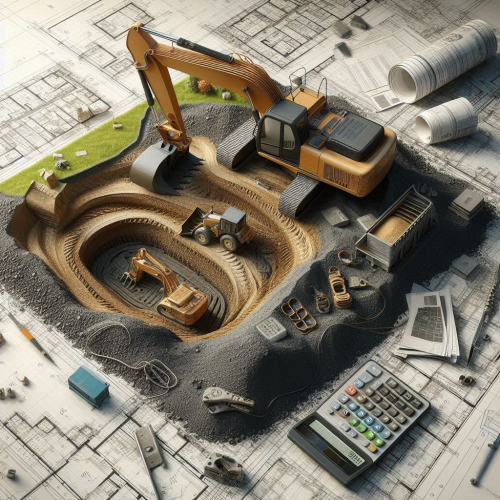
ALLPLAN Excavation Pit Basis
ALLPLAN Excavation Pit Basis
Course description
ALLPLAN Excavation Pit is a powerful module for foundation engineering. Its intuitive functions allow users to quickly learn the basic functions. Users can easily create precise excavations by designing excavation elements according to individual requirements. The excavation offers the flexibility to easily define slope angles to achieve optimal results. With its user-friendly interface, ALLPLAN Excavation supports efficient working and thus contributes significantly to the successful realisation of construction projects.
Learning outcomes
- Specialised foundation engineering
- Earthworks
- Excavation elements
- Slope angle
- 3D surfaces

Allplan Campus Crash Course EN
Allplan Campus Crash Course EN
Course description
This Allplan crash course for beginners offers a comprehensive introduction to the basics of the CAD and BIM software Allplan. In five structured video tutorials, you will learn how to create 2D and 3D designs, efficiently manage building structures, and design and export professional plan layouts for your architectural projects. Perfect for beginners who want to quickly and practically expand their skills in architecture and construction planning.
Learning outcomes
- Basic 2D design and project management in Allplan
- Expertise in free 3D modeling and the application of Boolean operations
- Effective usage for level models and materials for structured building designs
- Construction of walls, ceilings, and columns without collisions
- Accurate presentation and export of sections and plan layouts
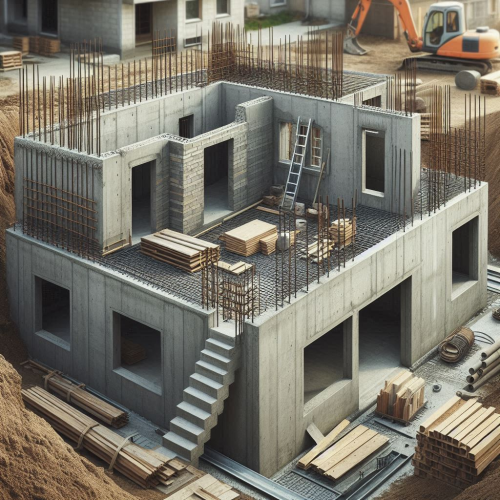
ALLPLAN start now - Engineering
ALLPLAN start now - Engineering
Course description
Course modules:
It's that simple!
Creating the 3D building model
Modification made easy ...
Completion of the 3D building model
Evaluation
Compile and output the plan
Reinforcement
Project backup
Learning outcomes
- Create floor plans
- Components
- Opening elements
- Stairs
- Slab

ALLPLAN start now - Architecture
ALLPLAN start now - Architecture
Course description
Course modules:
It's that simple!
Create the 3D building model
Modification made easy...
Evaluation
Completion of the 3D building model
Compile and Output Plan
Project Backup
Learning outcomes
- Create floor plans
- Develop a complete building
- Building components
- Opening elements
- Stairs

Allplan start now - Precast Elements
Allplan start now - Precast Elements
Course description
An IFC file is imported into Allplan, then a 3D element is isolated and converted into a precast wall.
The element is assigned a reinforced element plan and provided with fixtures.
Finally, the element plan is printed.
Learning outcomes
- IFC - Import
- Customize Modell
- Convert elment to precast element
- Reinforce precast element
- Customize precast element

Allplan start now - BRIDGE
Allplan start now - BRIDGE
Course description
The training is designed to guide you through the modeling process for an parametrical 3D Prestressed concrete bridge model using Allplan Bridge and using Allplan Engineering for further detailing of the bridge. The used example is a hollow box concrete girder bridge with three spans. The length of the bridge is 80 meters, and the span lengths are 25, 30 and 25 meters. The bridge has two piers with variable dimensions along the height of 10 meters. The bridge axis is curved in plan and in elevation.
Learning outcomes
- General
- Axis
- Cross-Section
- Structural Members
- Variables and Variations
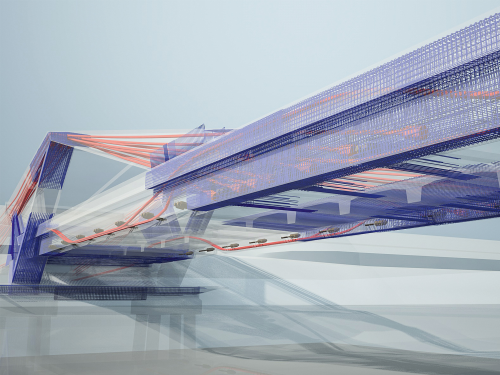
Bridge Solution
Bridge Solution
Course description
Course Chapter:
- Geometrical bridge model
- Internal prestressing tendons
- Analytical bridge model
- Detailing and reinforcement modeling
Learning outcomes
- The aim is to create a box girder bridge with three spans.
Tecniche di modellazione avanzata per l'ingegneria
Tecniche di modellazione avanzata per l'ingegneria
Course description
Il seminario tecnico mostra come sia possibile modellare in 3D un manufatto di qualsiasi complessità, sia con funzioni standard parametriche, sia con funzioni di modellazione 3D libera. Tutto questo con Allplan è possibile nell’ambito della stessa piattaforma e interfaccia e senza dover ricorrere all’ausilio di software specifici per la modellazione 3D.
Registrazione del webinar tenuto da Massimo Cavagna, responsabile aera tecnica di ALLPLAN Italia.
Learning outcomes
- Modellazione di manufatto ingegneria
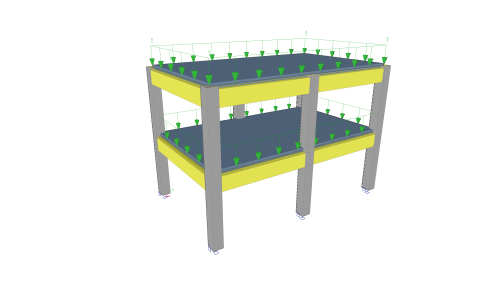
Tutorial Concrete
Tutorial Concrete
Course description
This tutorial describes the basic functions of SCIA Engineer for the input, analysis and design of a 3D concrete structure with 1D and 2D elements.
Before you start, you must be familiar with your operating system: for instance working with dialogues, menu bars, toolbars, status bars, handling the mouse, etc.
First, we will explain how to create a new project and how to setup your structure.
After the geometry and load input, the structure will be calculated and the results can be viewed.
Next, we will discuss the concrete settings and we will perform the concrete design for 1D and 2D elements.
The tutorial ends with a brief introduction to the engineering report.
Learning outcomes
- The user will be able to model and analyse a concrete structure.
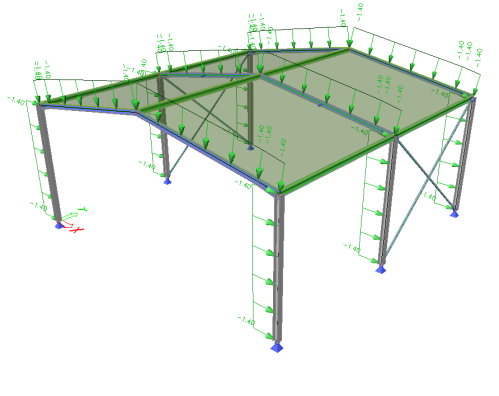
Tutorial Steel
Tutorial Steel
Course description
This tutorial describes the basic functions of SCIA Engineer for the input, analysis and design of a 3D steel structure.
Before you start, you must be familiar with your operating system: for instance working with dialogues, menu bars, toolbars, status bars, handling the mouse, etc.
First, we will explain how to create a new project and how to setup your structure.
After the geometry and load input, the structure will be calculated and the results can be viewed.
Next, we will discuss the steel settings and we will perform the steel code checks according Eurocode 3.
The tutorial ends with a brief introduction to the engineering report.
Learning outcomes
- Navigate the interface.
- Model a basic steel structure and add loads.
- Perform a linear analysis and display results.
- Perform the ULS steel check.
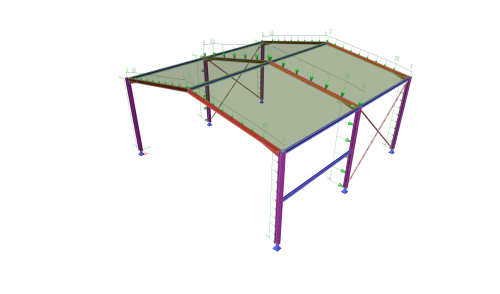
Tutorial Steel AISC
Tutorial Steel AISC
Course description
This tutorial describes the basic functions of SCIA Engineer for the input, analysis and design of a 3D steel hall structure.
Before you start, you must be familiar with your operating system: for instance working with dialogues, menu bars, toolbars, status bars, handling the mouse, etc.
First, we will explain how to create a new project and how to setup your structure.
After the geometry and load input, the structure will be calculated and the results can be viewed.
Next, we will discuss the steel code check according AISC 360-22 and we will create a simple steel connection.
The tutorial ends with a brief introduction to the engineering report.
Learning outcomes
- The user will be able to model and analyse a steel structure.
- The user will be able to perform the steel code check according AISC 360-22.
ALLPLAN Fundamentals: Terrain
ALLPLAN Fundamentals: Terrain
Course description
This course provides a hands-on introduction to terrain modeling in ALLPLAN for learners without prior experience in digital terrain models (DTM). You will explore the core concepts and terminology, become familiar with the relevant tools in the ALLPLAN user interface, and work with survey data to build terrain models. In addition, you will learn how to modify terrain surfaces, analyze elevation data, and visualize terrain structures in both 2D and 3D.